> ## Documentation Index
> Fetch the complete documentation index at: https://docs.metamcp.com/llms.txt
> Use this file to discover all available pages before exploring further.

# Inspector

> Debug and inspect MCP servers and MetaMCP endpoints with the built-in inspector

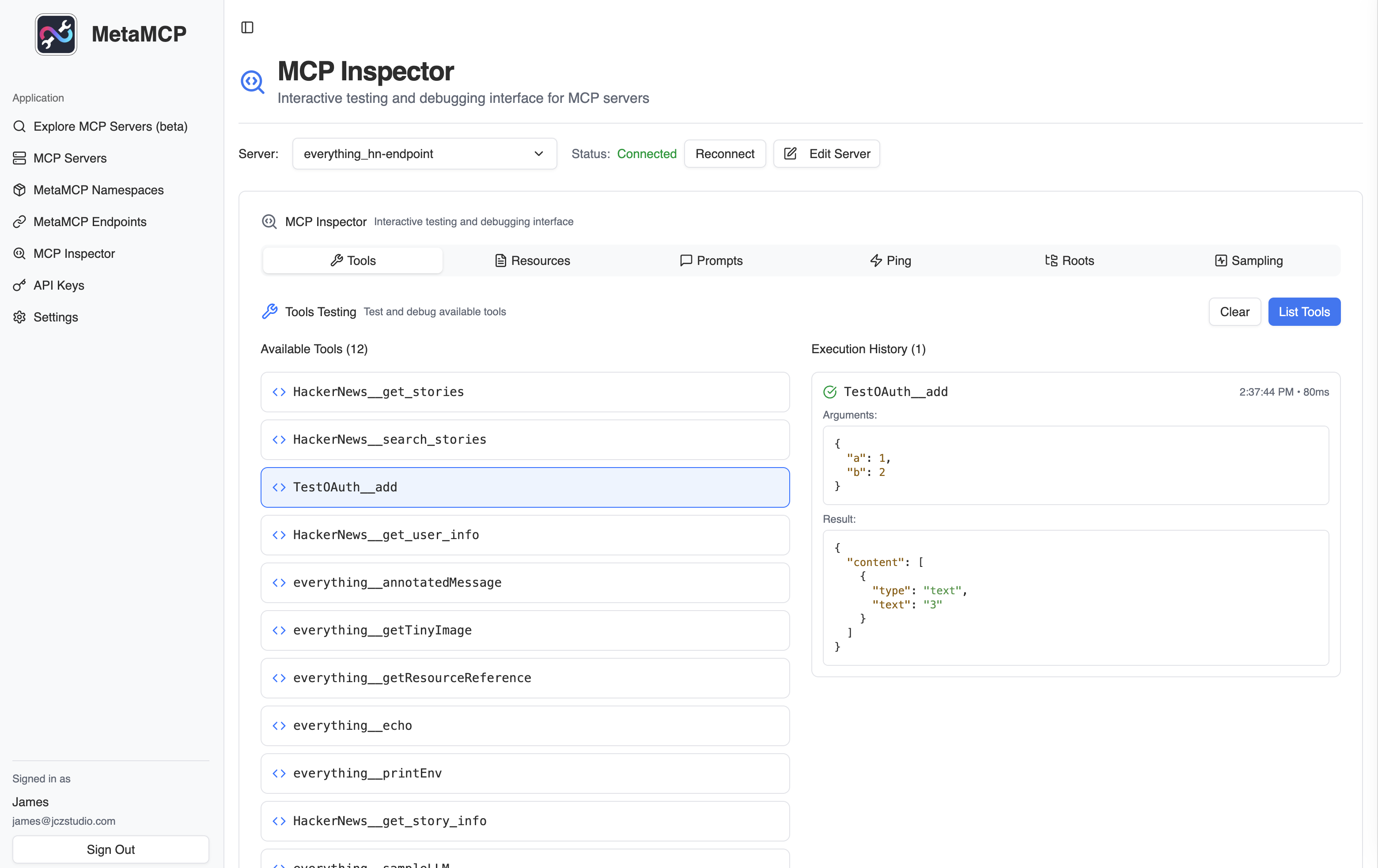
The **MetaMCP Inspector** is a built-in tool that allows you to easily test and debug your managed MCP servers and MetaMCP endpoints. It offers functionality similar to the official MCP Inspector, providing a convenient way to validate your connections and server behavior.

<div align="center">
  <img src="https://mintcdn.com/metamcp/3-l_3rfDmCoCDXLO/images/metamcp_screenshot.png?fit=max&auto=format&n=3-l_3rfDmCoCDXLO&q=85&s=ec1bb0139080a11c37660ba169e9828b" alt="MetaMCP Screenshot" style={{ width: "100%", maxWidth: "800px", margin: "2rem 0", borderRadius: "8px", boxShadow: "0 4px 6px rgba(0, 0, 0, 0.1)" }} width="3120" height="1966" data-path="images/metamcp_screenshot.png" />
</div>

## Next Steps

<CardGroup cols={2}>
  <Card title="MCP Servers" icon="server" href="/en/concepts/mcp-servers">
    Learn how to configure and debug MCP servers
  </Card>

  <Card title="Troubleshooting Guide" icon="wrench" href="/en/integrations/troubleshooting">
    Common issues and solutions for MetaMCP
  </Card>

  <Card title="Integration Testing" icon="plug" href="/en/integrations/cursor">
    Test your configurations with actual MCP clients
  </Card>

  <Card title="Performance Monitoring" icon="chart-line" href="/en/configuration/monitoring">
    Set up production monitoring and alerting
  </Card>
</CardGroup>
